Features

Everything your business runs on, in one app

For shops and service businesses — on a phone or a laptop, in USD and ZiG. Every screen on this page is Salinker as it is today.

Sell

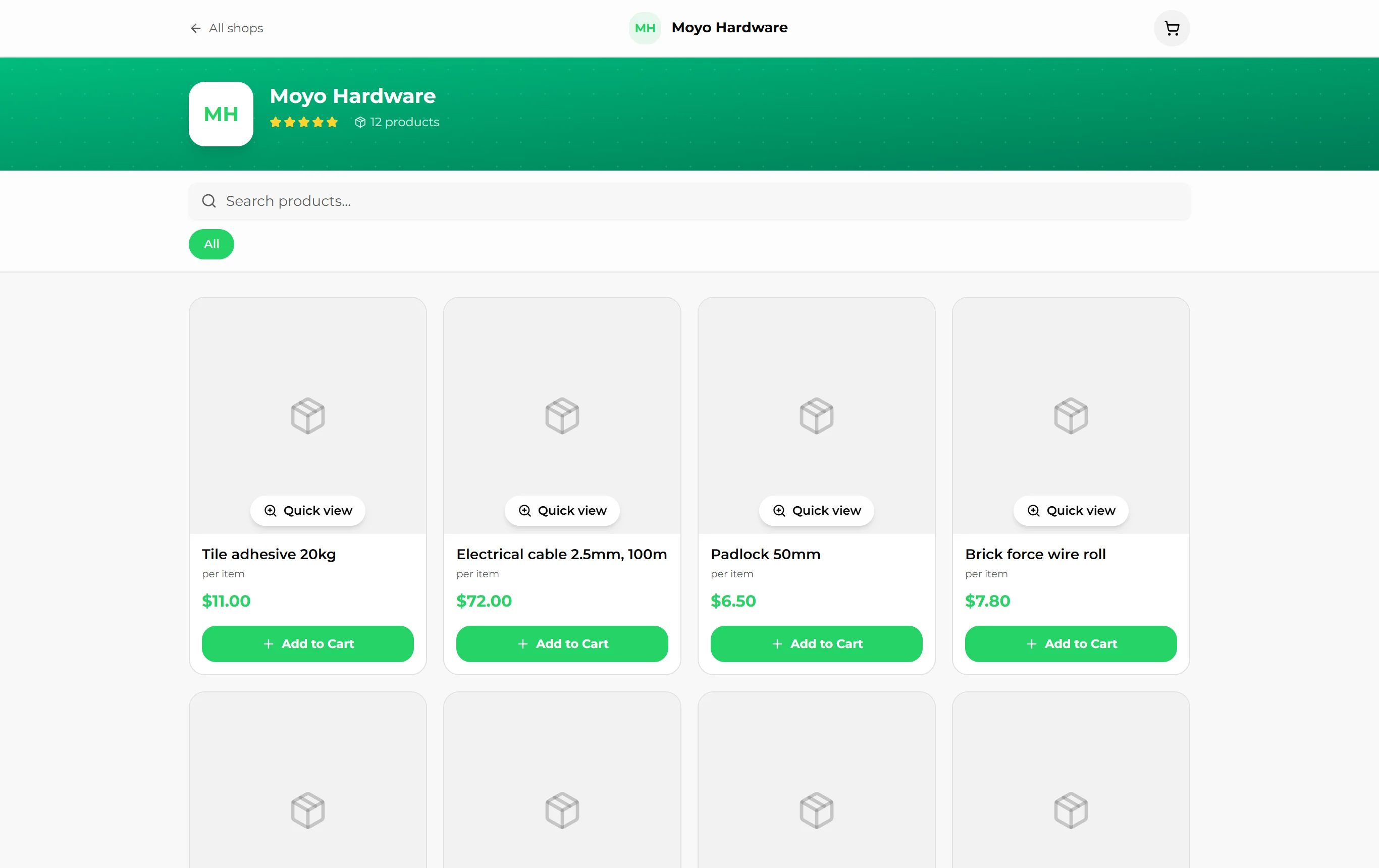
At the counter, and through a shop link your customers open on WhatsApp.

The tillShops

A till on your phone — or a laptop, or both.

Search or scan, and every sale counts the stock down. Take any mix of payments, in USD and ZiG, and give change in either.

  • Cash, mobile money, card, bank transfer — or on account
  • Split one sale across payment methods
  • Discounts, with a limit for staff that managers set
  • Hold a ticket and come back to it
  • Receipts sent as a WhatsApp link
  • Voids and refunds that put stock back and print a return receipt
salinker.com/dashboard
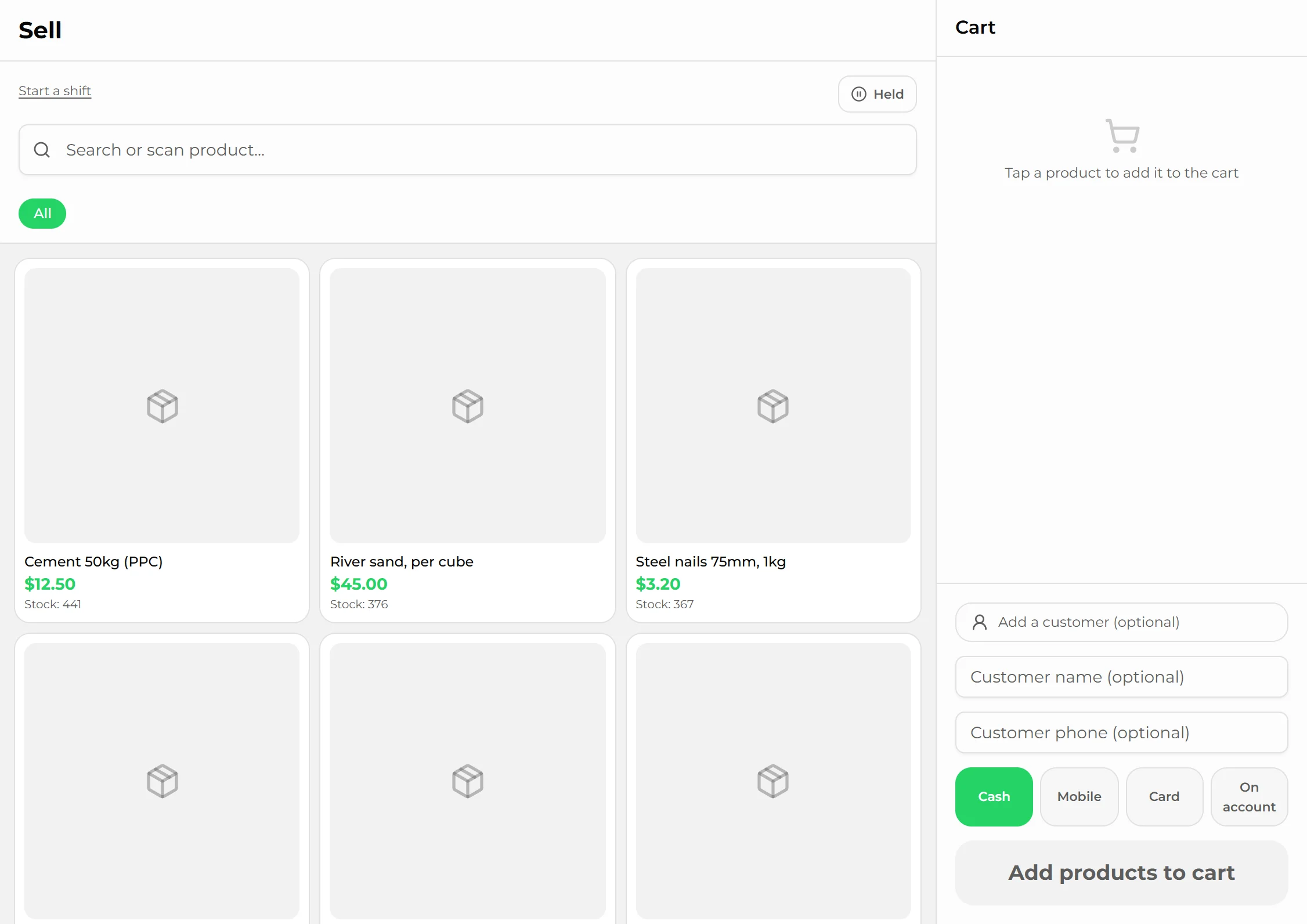
The Salinker till with products and stock levels
Shifts and cash-upShops

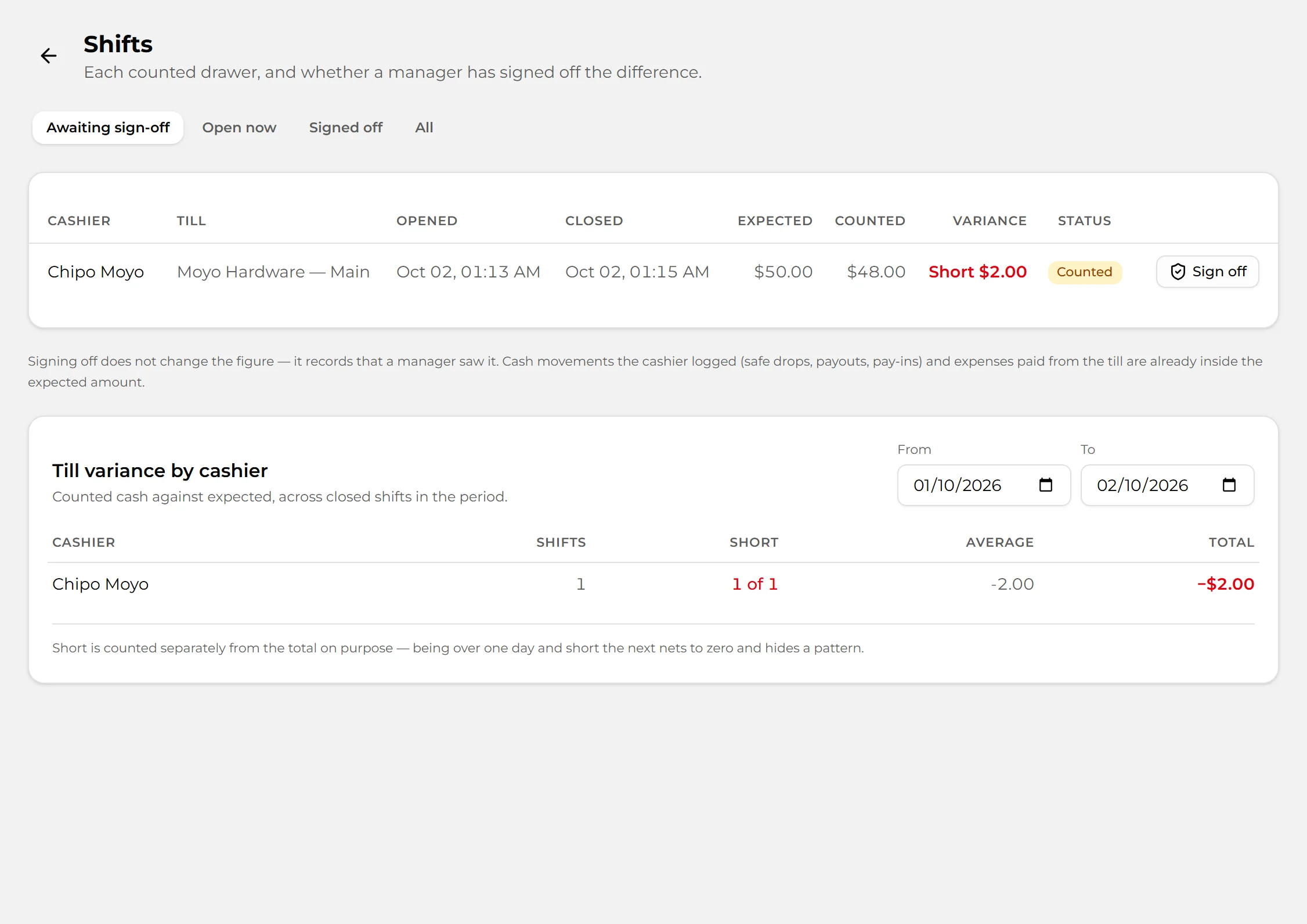
Know what should be in the drawer — and who counted it.

Each cashier opens a shift with a float, and counts the drawer at the end. Salinker works out what should be there, and shows the difference.

  • Opening float, pay-ins, payouts and safe drops
  • A mid-shift X-report and a closing Z-report
  • Blind close: count without seeing the expected figure
  • Expenses paid from the till come off what is expected
  • Shortages and overs by cashier, over time
  • A manager signs off each difference
salinker.com/dashboard
Closed shifts with the expected, counted and short amounts

Customers and pipeline

Everyone you sell to, everyone who might buy, and what to do next with each.

Customers and the credit bookShops

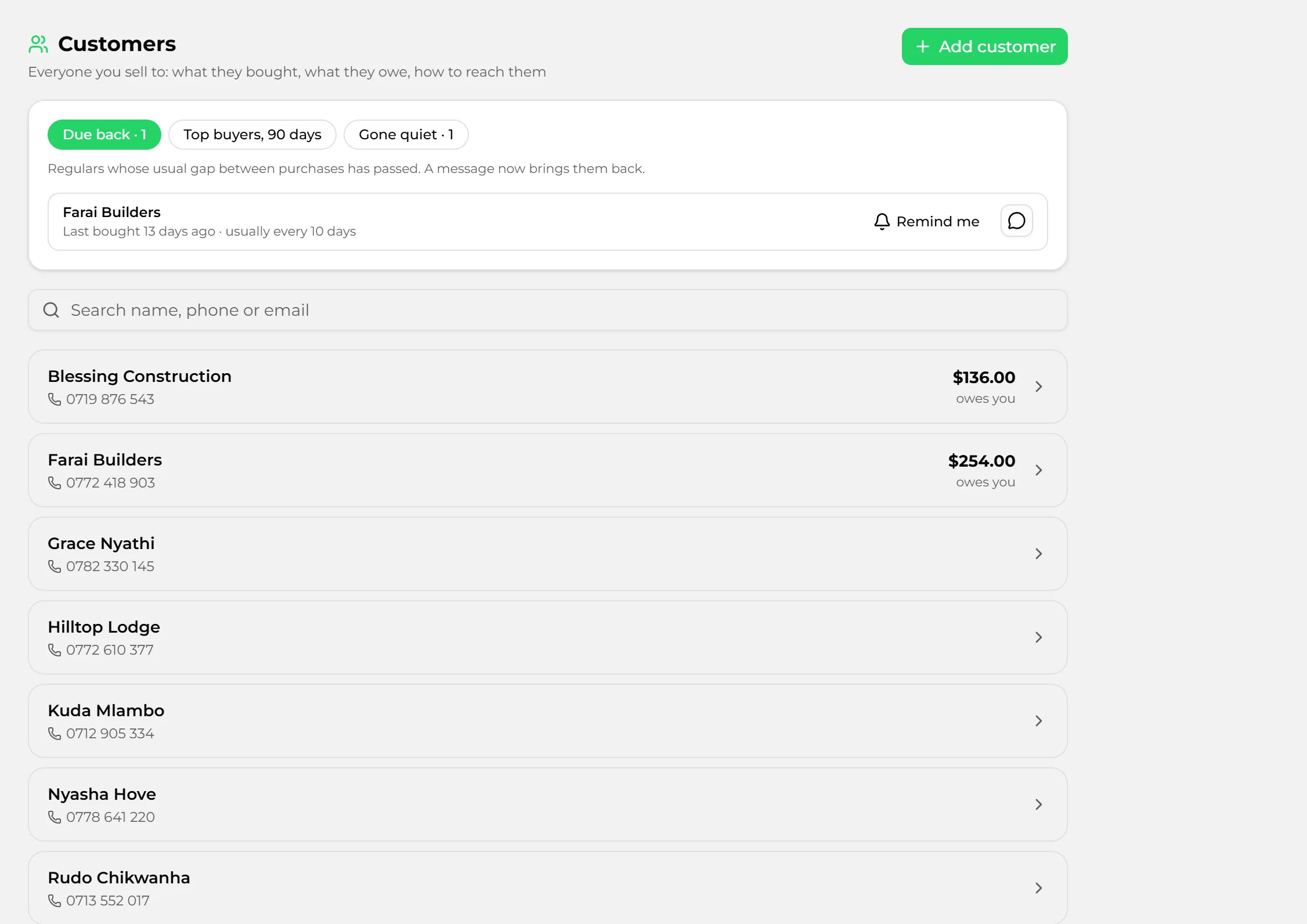
Who owes you, how long for — and who is due back.

One customer list for the till, quotes and invoices. Let regulars buy on account with a limit, and see who usually buys every ten days and has not been in for thirteen.

  • Credit limits the till enforces; owners can override
  • Ageing: under 30 days, 30–90, 90 and over
  • Record payments, adjustments and write-offs, with the full statement
  • Top buyers, customers due back, and regulars gone quiet
  • A reminder on your follow-ups each morning for whoever is due back
salinker.com/dashboard
Customers due back, top buyers and balances owed
Leads and follow-upsShops and services

Every enquiry becomes a lead with a next step.

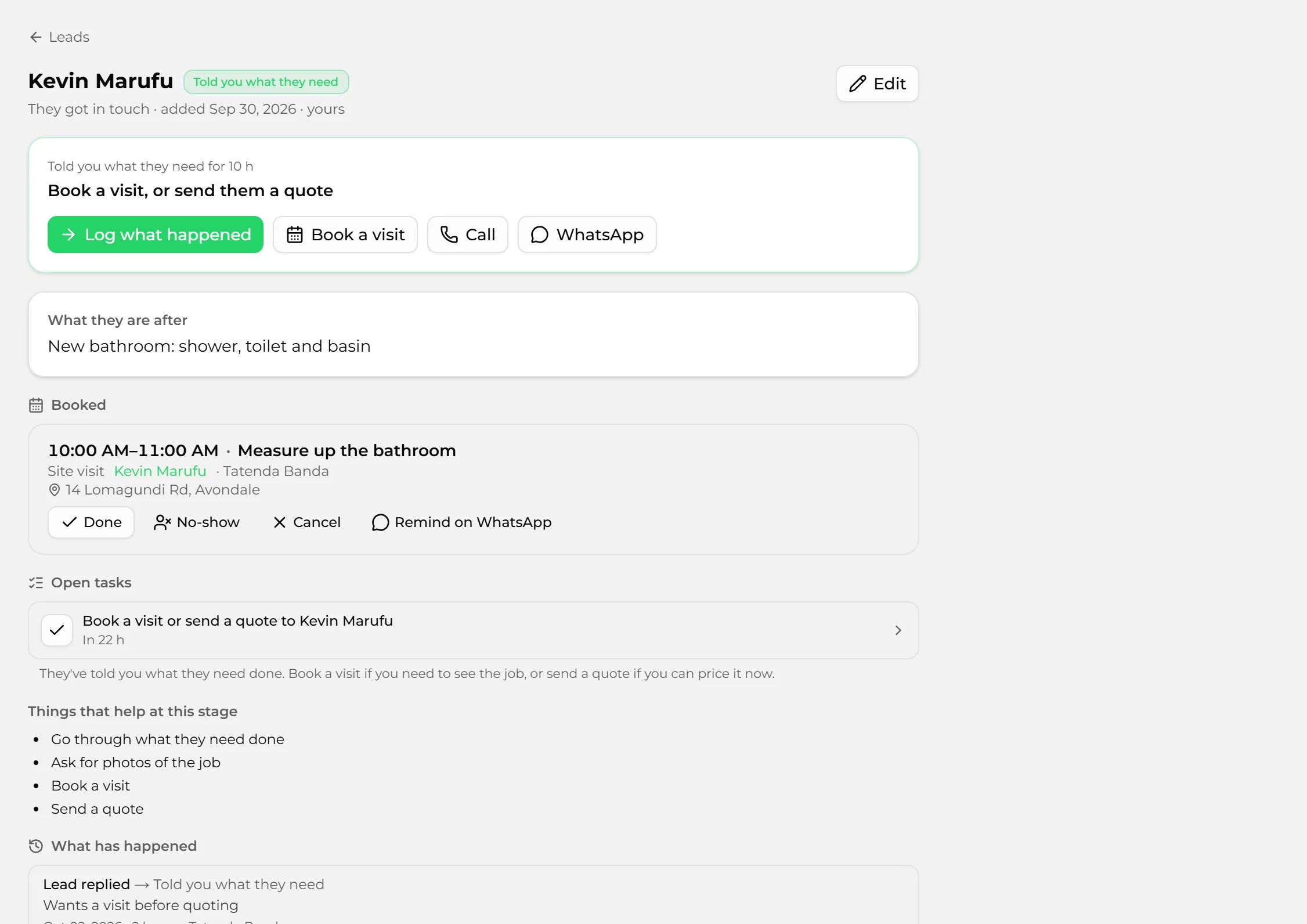
A call, a WhatsApp, a walk-in: add it as a lead and Salinker puts its next step on your list. Log what happened and the next step follows; leave it too long and it tells you.

  • An inbox: to do now, new, overdue, waiting, quoted, thinking
  • Next steps worded for what you sell — "check stock" or "book a visit"
  • Follow-ups for today on your dashboard
  • Leads that go quiet are marked overdue, then cold
  • A record of every step and what was said
salinker.com/dashboard
A lead with its next step, a booked visit and open tasks
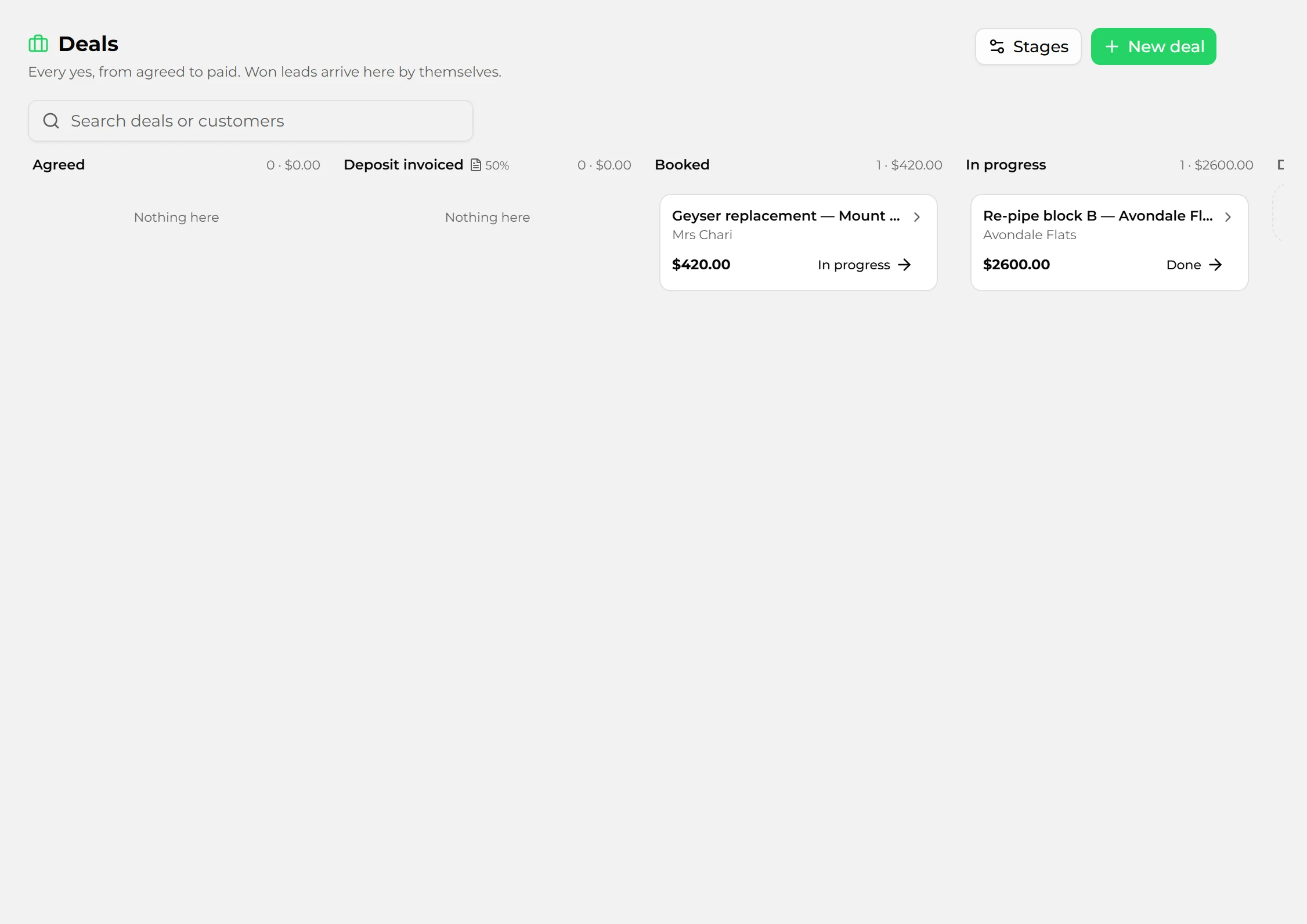
Deals and jobsShops and services

From the yes to the money in.

A won lead becomes a deal on your board, already linked to the customer. Shops run Orders; service businesses run Jobs. Rename and add stages to match how you work.

  • Orders: agreed, invoiced, paid
  • Jobs: agreed, deposit, booked, in progress, done
  • A stage can raise a draft invoice — 50% for a deposit, the rest when done
  • A timeline of every move, with notes
salinker.com/dashboard
The jobs board with jobs at each stage
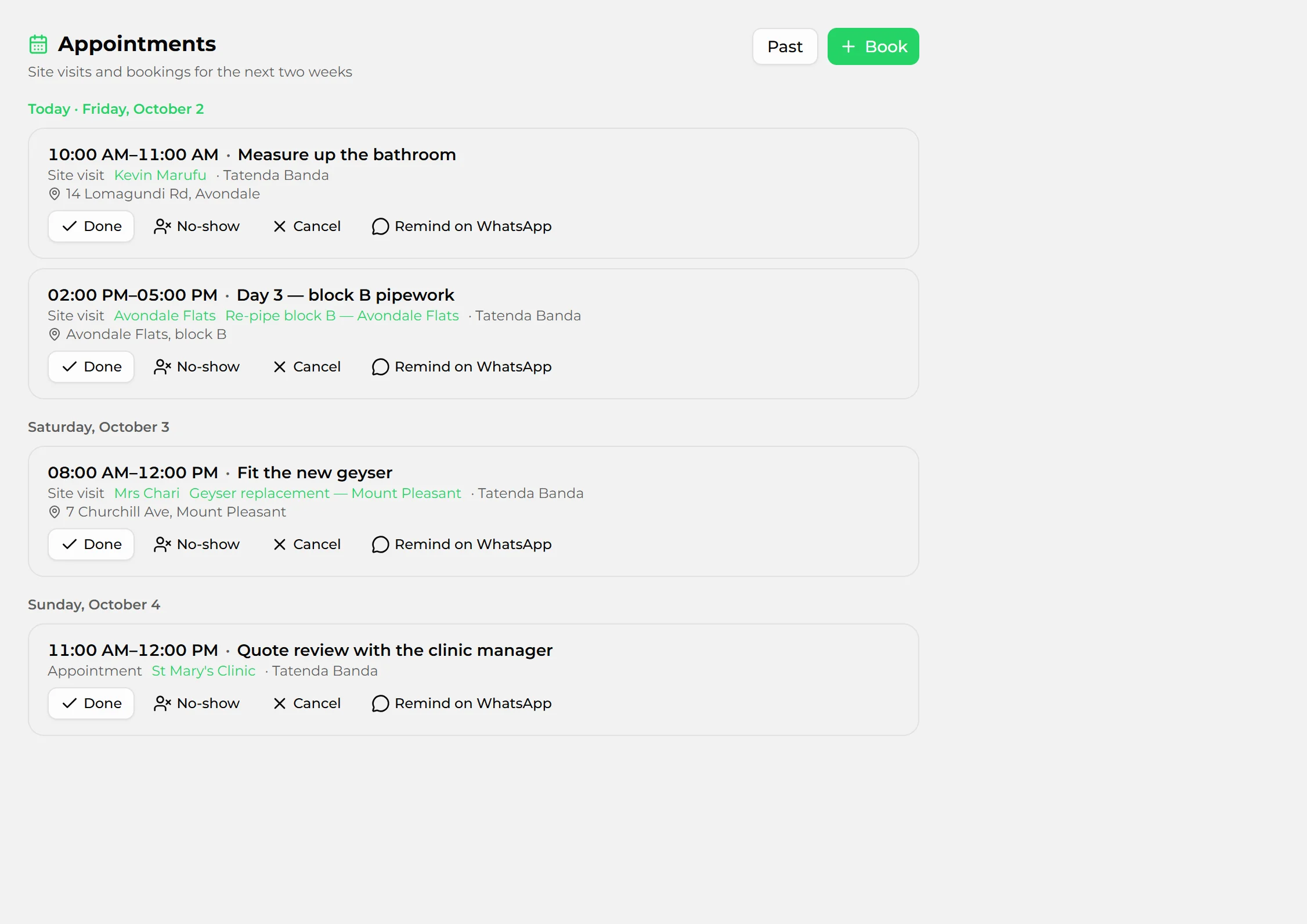
Appointments and site visitsService businesses

Your week of visits, by day.

Book a site visit from a lead or a job, or an appointment for a client who comes to you. See today’s at the top of the dashboard.

  • Who, what, where, and who from your team is going
  • A WhatsApp reminder, written for you, a tap away
  • Mark each one done, a no-show, or cancelled
  • Booking for a lead puts the date on the lead
salinker.com/dashboard
Site visits for today and the week

Get paid

Price the work, send it, and turn the yes into money.

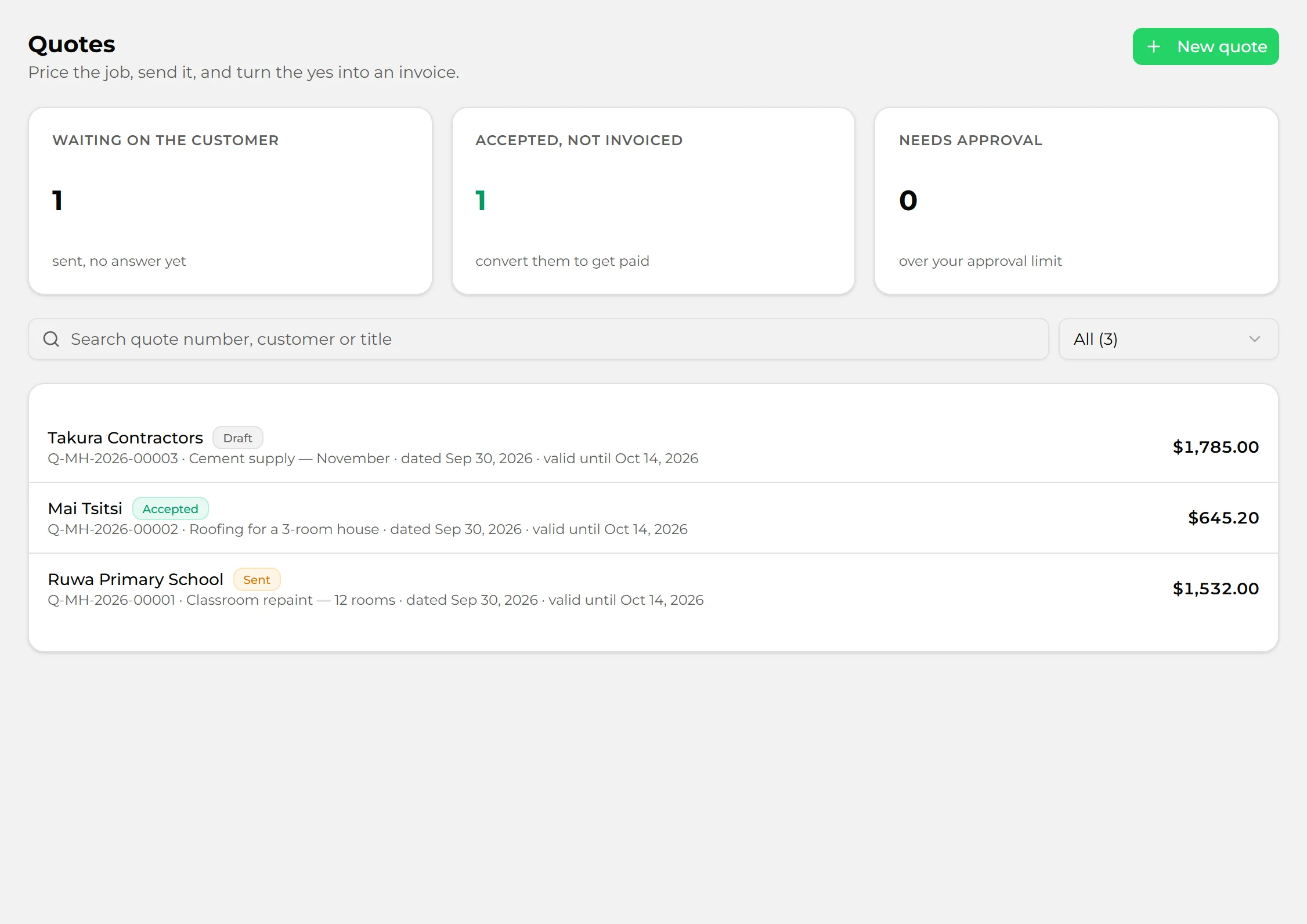
QuotesShops and services

Send a quote, and turn the yes into an invoice.

Price the job or the order, send it by email or WhatsApp, and convert it to an invoice when they accept — with the VAT and discount carried across.

  • See what is waiting on the customer and what is accepted
  • An approval step for quotes over your limit
  • Convert to an invoice in one step
salinker.com/dashboard
Quotes: waiting on the customer, accepted and drafts
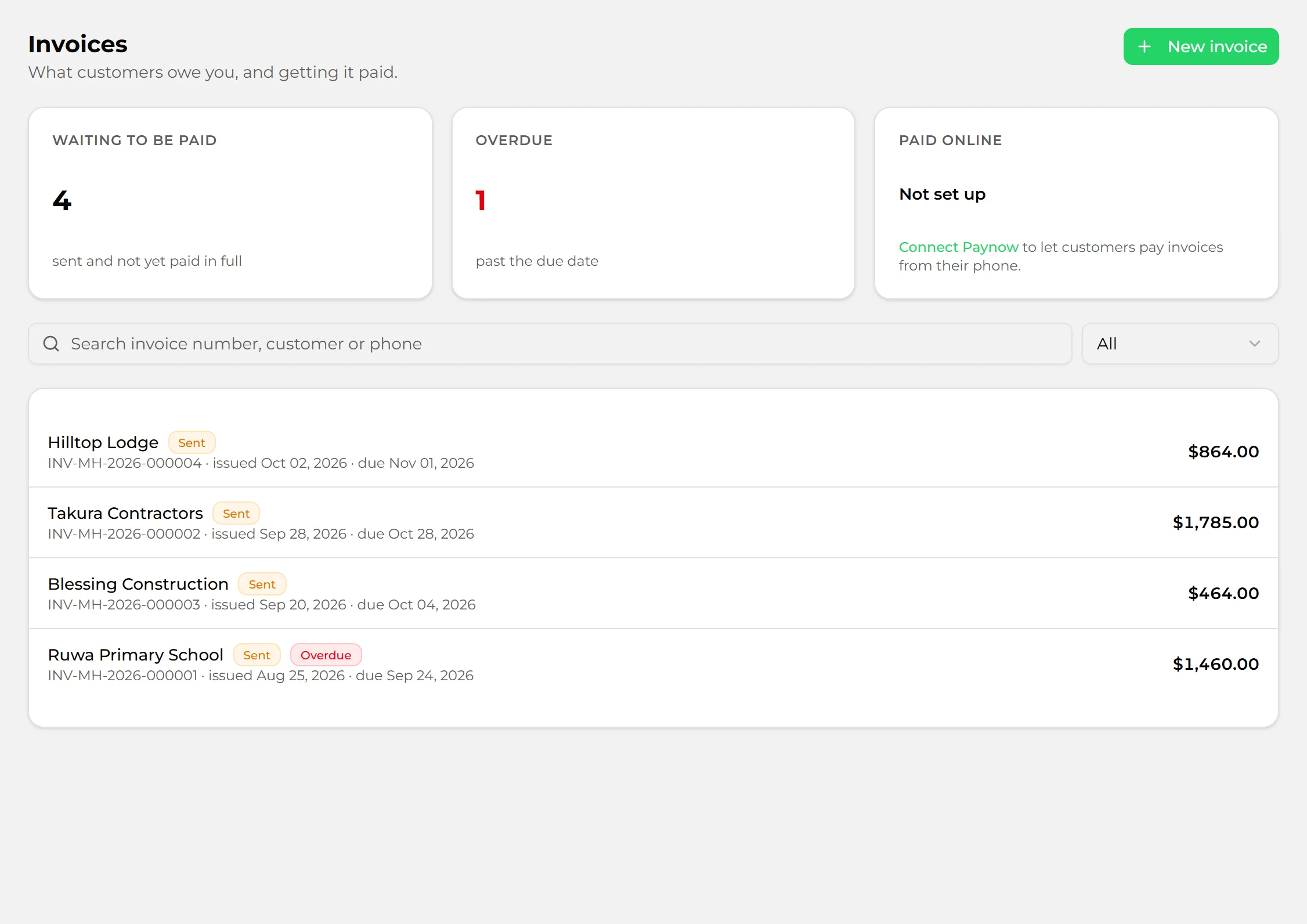
InvoicesShops and services

Invoices with a Paynow link.

Send an invoice with a link your customer pays from their phone, through your own Paynow account. See what is waiting to be paid and what is overdue.

  • Paynow payment links on each invoice
  • Overdue and part-paid at a glance
  • Record payments as they come in
salinker.com/dashboard
Invoices waiting to be paid, overdue and sent

Books

What you spent, what you owe, and books your accountant can open.

Expenses and billsShops and services

Everything that was not stock, recorded as it happens.

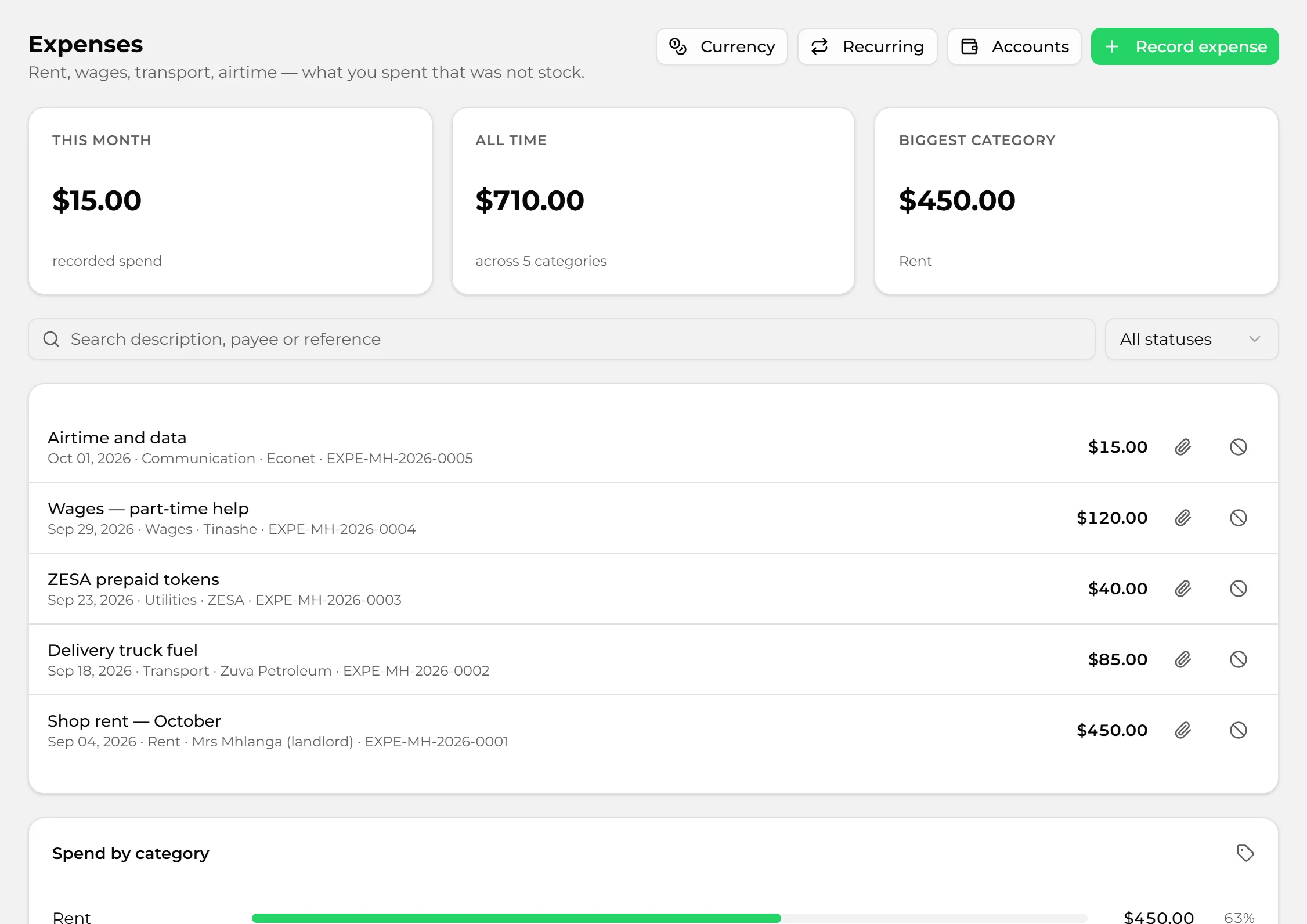
Rent, wages, transport, airtime. Record it once — with the receipt — and Salinker files it. Bills track what you owe suppliers and what you have paid off.

  • Categories suggested from what you filed before
  • Recurring expenses, like rent
  • Attach a photo of the receipt
  • Paid from the till? It comes off the shift
  • Bills, part payments and ageing
salinker.com/dashboard
Expenses for the month by category
Reports, VAT and your accountantShops and services

Books that add up — and an accountant who can see them.

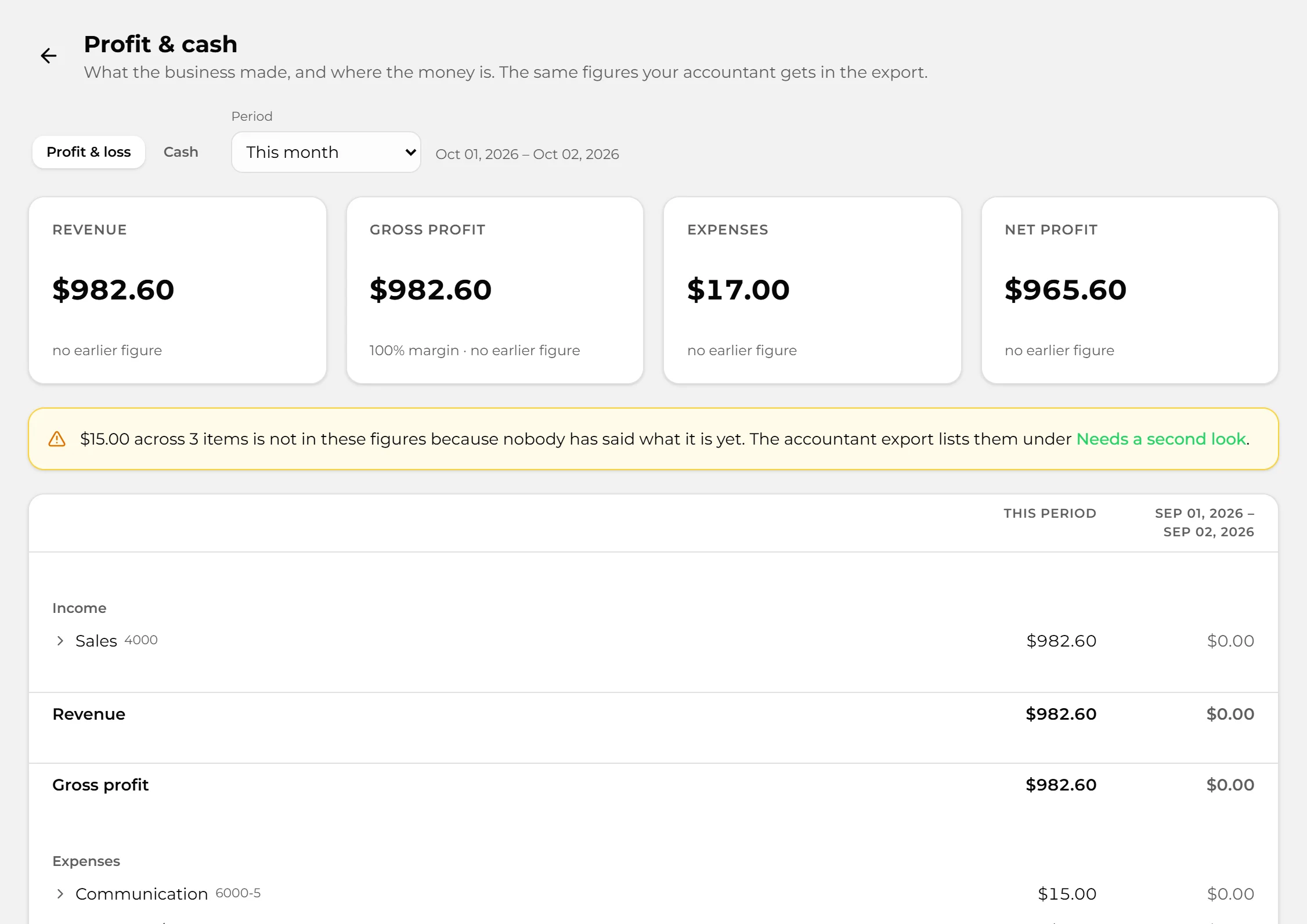
Profit and cash for any period, a VAT return worked out from your own sales and invoices, and a trial balance. Give your accountant a login to the books only.

  • Profit & loss and cash by account
  • VAT return by rate, with a record of what you filed
  • Bank reconciliation against your statement
  • Exports ready for QuickBooks
  • Bring your books across from QuickBooks or Pastel
  • Close a period so its figures cannot change
salinker.com/dashboard
Profit and cash for the period

Stock and buying

Know what you have, buy what you need, and pay less for it.

InventoryShops

Stock you can trust, at every location.

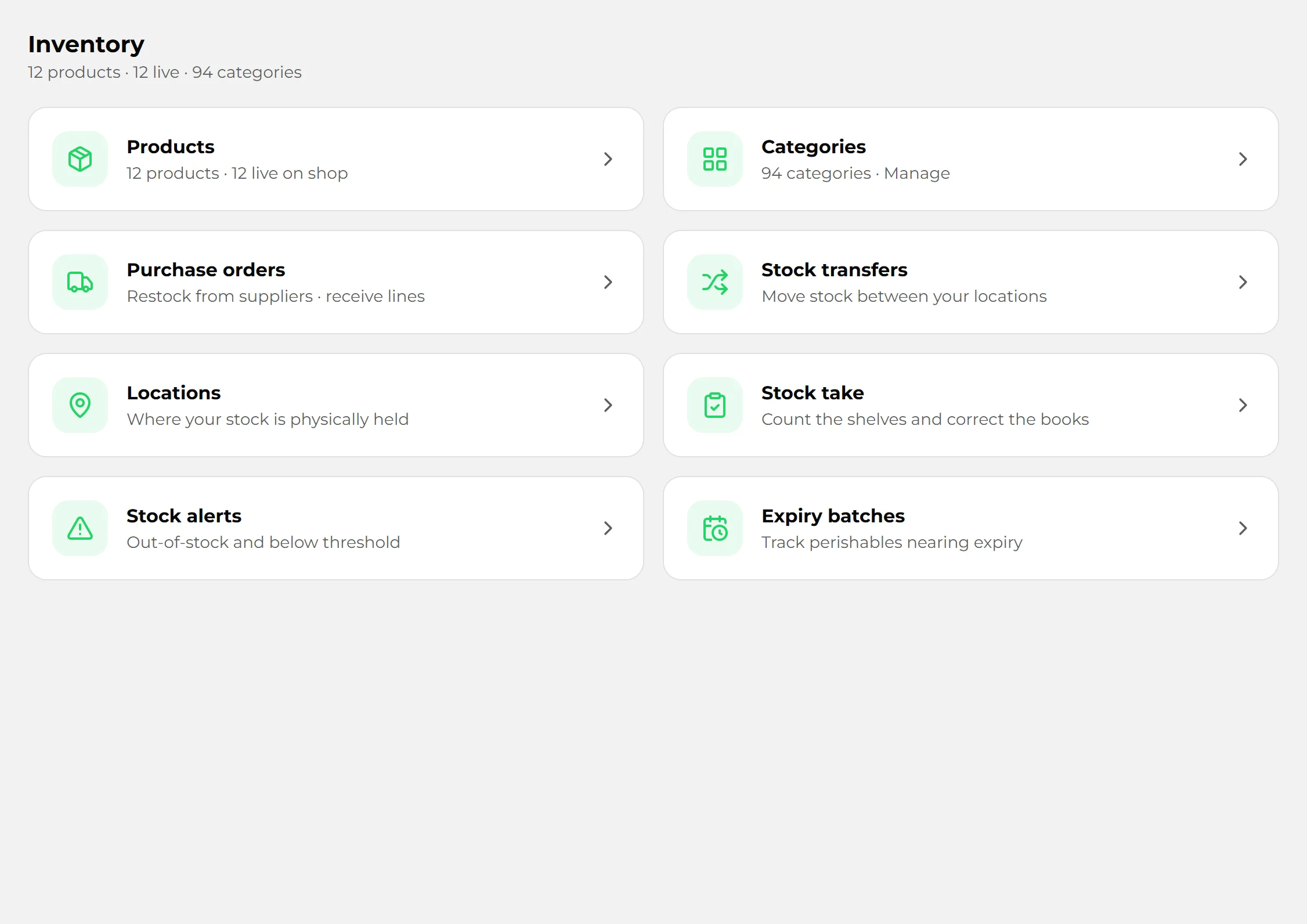
Every sale, delivery and correction moves the count. Set the level you want warning at, count the shelves while you trade, and move stock between branches.

  • Low-stock warnings at the level you choose
  • Stock takes, counted blind while you keep selling
  • Transfers between locations
  • Expiry dates, by batch
  • Cost of stock worked out as it comes in
salinker.com/dashboard
Inventory with products, purchase orders and transfers
Suppliers and purchase ordersShops

Order from suppliers, and receive what actually arrives.

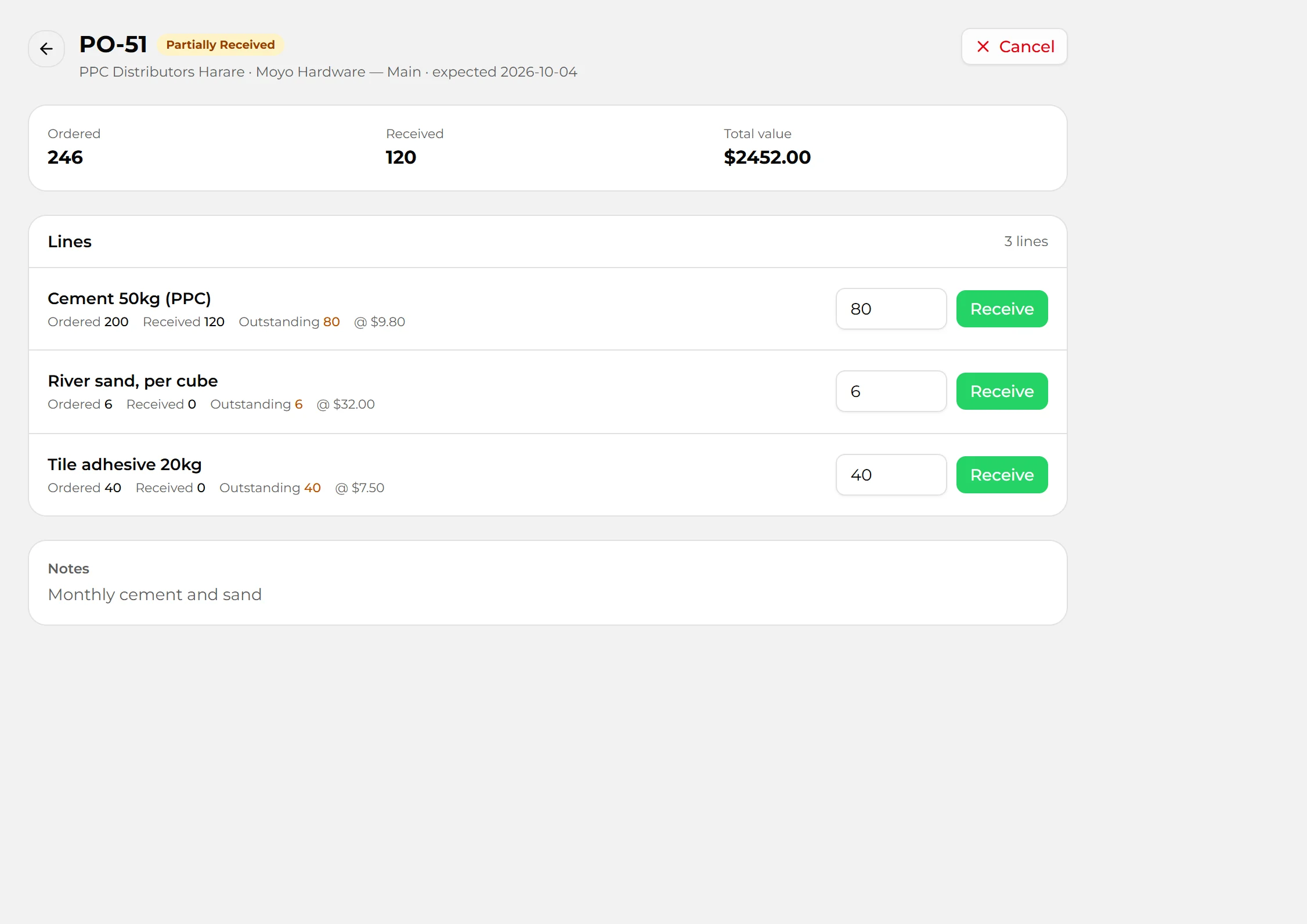
Raise a purchase order from the supplier’s page, receive it line by line — part deliveries included — and stock and cost update themselves.

  • Supplier contacts, terms and lead time
  • Draft, sent, part received, received
  • Add transport and other charges to the cost
  • Message a supplier on WhatsApp in one tap
salinker.com/dashboard
A purchase order, part received
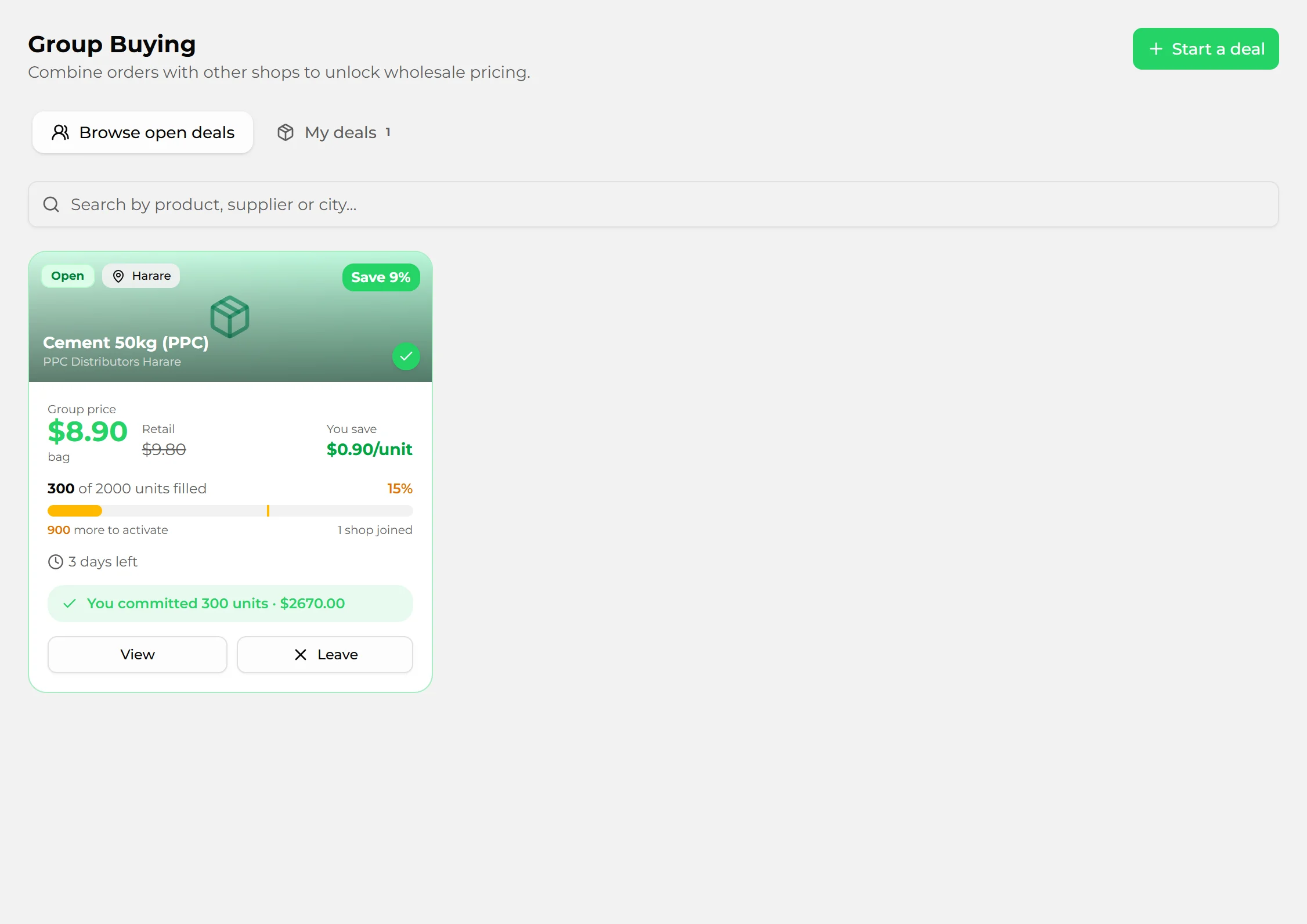
Group buyingShops

Buy in bulk with other shops, at the bulk price.

Join a deal with other shop owners to reach a supplier’s minimum order. The deal goes ahead only if enough shops join before the deadline.

  • The group price against the usual price, before you commit
  • Commit only your share
  • Told when a deal you joined closes or is cancelled
salinker.com/dashboard
An open group-buying deal for cement

Team and control

Let staff sell without handing over the business.

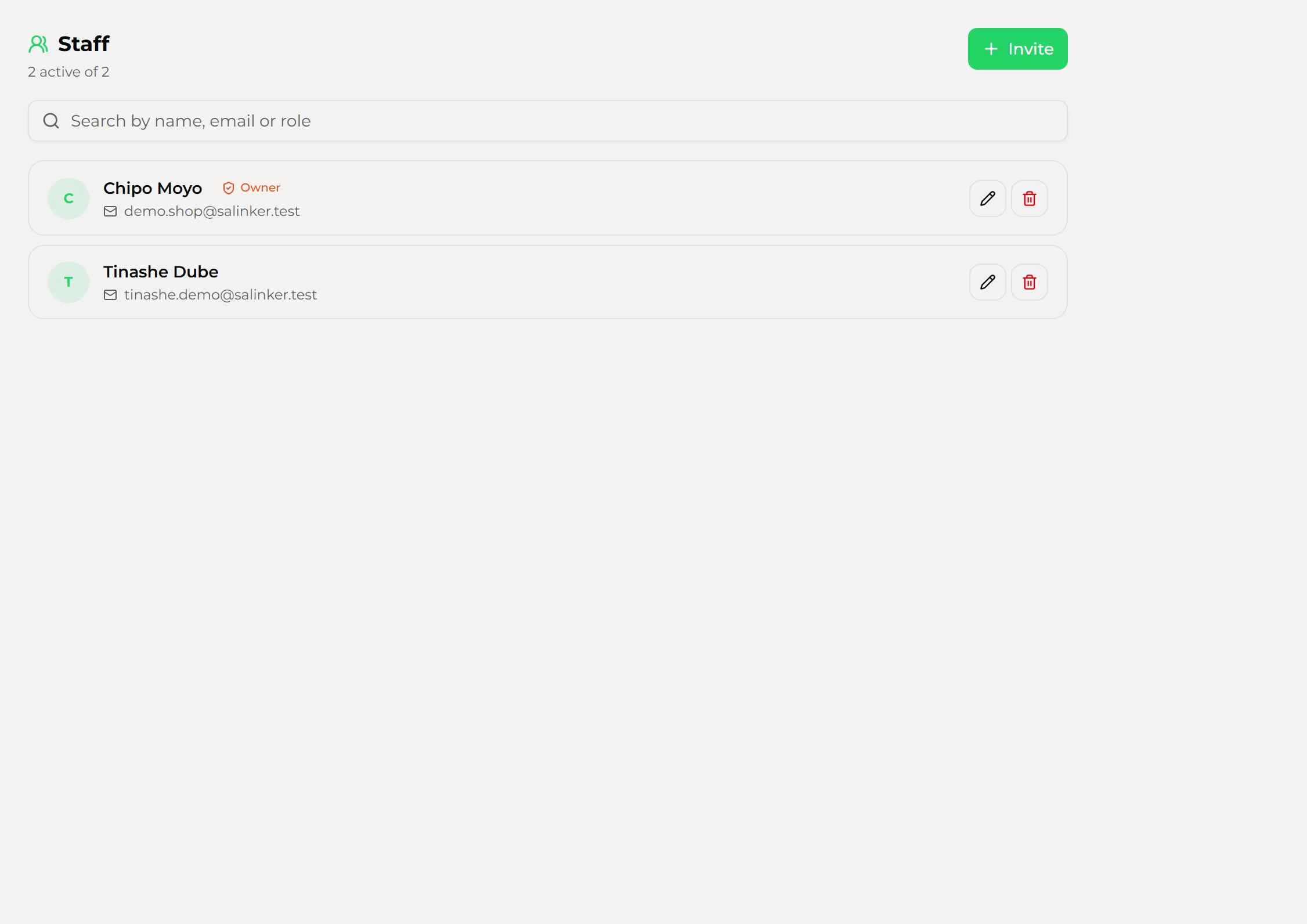
Staff and permissionsShops and services

Everyone their own login.

Add your team, each with their own login. Managers see the money; cashiers sell. Every sale, void and refund records who did it.

  • Managers and staff, with what each can do
  • Cashiers void or refund only their own sales, from their shift
  • A discount limit for staff
  • Your accountant gets the books, not your till or stock
salinker.com/dashboard
Staff and their roles

What's included in each plan

Pick the plan that fits. Upgrade when your business is ready.

Starter

$30/mo

Growth

$60/mo

Pro

$90/mo

Sell

Mobile POS on any phone

WhatsApp shop link

Quotes and invoices by WhatsApp or email

Custom shop branding

×

Get paid

Credit book — who owes you

Expenses

Till shifts with the X report

×

Sales reports and profit and loss

×

Bank statement reconciliation

×

VAT return, and a login for your accountant

×
×

Stock

Inventory with low-stock alerts

Suppliers and purchase orders

×

Stock takes and expiry dates

×

Several stores, with transfers between them

×
×

Group buying with other shops

×
×

Customers

Customer list and what each one bought

Leads, deals and follow-ups

×

Appointments and site visits

×

Reorder reminders and top buyers

×
×

Team

Users

1
Up to 3
Unlimited

Staff roles

×

Priority support

×
×

See it set up for your business

Book a free 30-minute demo. We'll walk you through the parts that matter for your business — your products or your jobs — not a generic tour.

Free 30-minute demo · No commitment